Understanding TradingView: Features and Benefits
In today's fast-paced financial markets, having access to real-time data and powerful analytical tools is crucial for traders and investors alike. TradingView stands out as a leading platform that consolidates multiple market insights into a single, user-friendly interface. Its robust capabilities are tailored to cater to both novice traders looking to learn and seasoned professionals steering complex investment strategies. This article will explore TradingView's key features, the benefits it offers to users, and how it enhances trading experiences across various devices.
What is TradingView?
TradingView is a comprehensive web-based platform designed for financial market analysis and trading. It provides users with access to an extensive range of market data, including stocks, forex, cryptocurrency, and commodities. The platform is distinguished by its powerful charting tools, technical analysis features, and real-time alerts, which enable traders to make well-informed decisions. Founded in 2011, TradingView has grown into a global community of traders and investors who share insights, strategies, and analyses.
Key Features of TradingView
- Advanced Charting Tools: TradingView offers a variety of chart types, from line and candlestick charts to innovative visualizations, allowing for in-depth technical analysis.
- Customizable Layouts: Users can personalize their workspace with multiple chart layouts and indicators, tailoring the interface to their trading preferences.
- Real-Time Data: Access to live market data helps users stay on top of price movements and make timely trading decisions.
- Social Networking Features: Traders can connect with one another, share insights, and collaborate through the platform's social features, which promote community engagement.
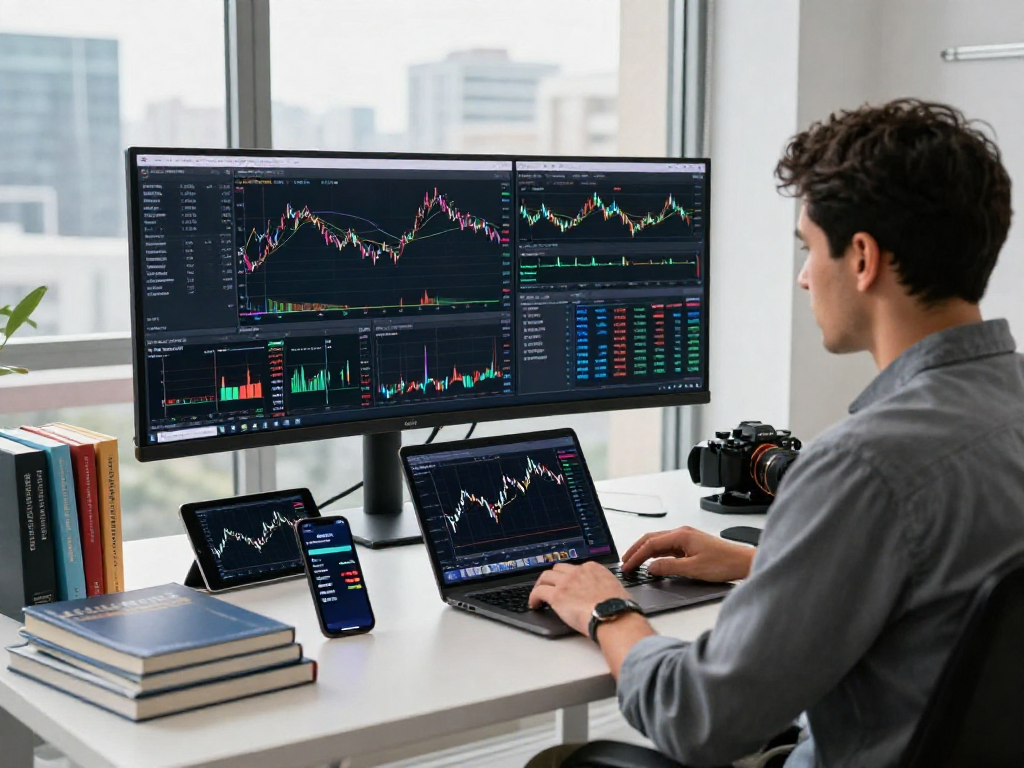
- Multi-Device Synchronization: TradingView supports seamless transitions between desktop, web, and mobile applications, enhancing accessibility and flexibility.
Benefits for Traders and Investors
The benefits of using TradingView extend beyond its feature set; the platform serves as an invaluable tool for traders and investors looking to enhance their market acumen. Whether for day trading or long-term investing, TradingView provides the necessary framework for identifying opportunities and managing risks effectively. Here are several notable advantages:
- Enhanced Decision-Making: The combination of real-time alerts and advanced charting tools allows traders to respond swiftly to market changes.
- Community Support: With thousands of active users, TradingView fosters a collaborative environment to exchange trading strategies and analyses, which can be particularly beneficial for beginners.
- Flexibility: The accessibility of TradingView on various devices ensures that traders can monitor their positions and execute trades from anywhere in the world.
Utilizing Graphical Analysis Tools
Technical Indicators and Their Usage
Technical indicators are fundamental components of trading strategies, assisting traders in identifying trends and potential entry and exit points. TradingView incorporates a vast library of indicators, including Moving Averages, MACD, RSI, and Bollinger Bands. Users can apply these indicators directly to charts, customizing their parameters according to market conditions.
Customizing Chart Layouts for Better Insights
TradingView enables users to create tailored chart layouts that suit their analysis styles. By utilizing multiple layouts, traders can monitor various markets or timeframes concurrently. This flexibility is crucial for high-frequency traders who need to analyze multiple assets in real time.
Integrating Third-Party Scripts and Signals
The platform supports the integration of custom scripts through its Pine Script language, allowing users to develop and implement unique trading strategies. This feature empowers traders to automate their analyses and trade based on signals generated by their algorithms, enhancing efficiency and precision.
Setting Up Alerts and Notifications
Configuring Price Alerts for Market Movements
Price alerts are an essential tool for traders who wish to stay informed about significant market movements without constantly monitoring charts. TradingView allows users to set price alerts based on specific thresholds, and notifications are sent via email or the app, ensuring that traders can act swiftly when crucial levels are reached.
Using Technical Condition Alerts Effectively
Beyond simple price alerts, TradingView offers technical condition alerts that notify users when specific technical patterns or indicators are met. This can include signals from oscillators, trend lines, or patterns that signify potential trade opportunities, greatly streamlining the decision-making process.
Mobile Alerts: Trading on the Go
With TradingView's mobile app, traders can receive alerts and notifications directly on their smartphones, ensuring they remain connected to their trading activities. The mobile interface is intuitive, allowing for quick responses to market changes, which is crucial for traders who may be away from their desktops.
Cross-Device Synchronization for Traders
Maintaining Continuity Across Devices
One of the standout features of TradingView is its cross-device synchronization, which allows users to switch between devices seamlessly while retaining access to their charts, alerts, and layouts. This continuity is a game-changer for traders who operate from multiple locations or devices.
Benefits of Using TradingView on Multiple Platforms
The ability to utilize TradingView on web browsers, desktops, and mobile applications means traders can select the most suitable platform for their specific trading needs. Whether at home or on the move, users can maintain their trading routine without disruption, enhancing overall productivity.
Best Practices for Mobile and Desktop Usage
To fully leverage the capabilities of TradingView across devices, users should adopt best practices that include:
- Regularly Update Settings: Ensure that layouts and alerts are consistently updated across devices to avoid missing critical market changes.
- Use Keyboard Shortcuts: Familiarize yourself with keyboard shortcuts available in the desktop version for quicker navigation and execution.
- Optimize Notifications: Tailor your alert settings to manage notifications effectively, ensuring that you engage with relevant market updates without getting overwhelmed.
FAQs About TradingView for 2026
Is TradingView suitable for beginners?
Yes, TradingView is designed with both beginners and experienced traders in mind. Its intuitive interface and extensive educational resources empower new traders to learn and grow their skills progressively.
What are the subscription options for TradingView?
TradingView offers several subscription plans, including a free version with limited features and paid plans with expanded capabilities. Users can choose the plan that best fits their trading needs and budget.
How does TradingView compare with other trading platforms?
TradingView distinguishes itself from other platforms through its combination of charting tools, community features, and real-time data. It is particularly favored for its social networking aspect, which enhances trader interactions and knowledge sharing.
Can I use TradingView for Forex and Cryptocurrency?
Absolutely! TradingView supports a wide range of markets, including Forex and Cryptocurrency, making it an excellent choice for traders interested in diverse asset classes.
What are the advantages of TradingView's community features?
The community aspect of TradingView fosters collaboration and learning among traders. Users can share ideas, receive feedback, and gain insights from experienced peers, creating a supportive environment that enhances overall trading knowledge.